Showing posts with label others. Show all posts

Saturday, February 14, 2015

Cricket World Cup: How to Get live scores and fixtures right on the home screen!!!

Here is how you can get live scores and fixtures right on your Android home screen. You will have to follow few steps to get it done, yeah few simple steps. 


1. Download and install "Google Now" launcher from the link

2. After Installation, open it and enable the launcher OR
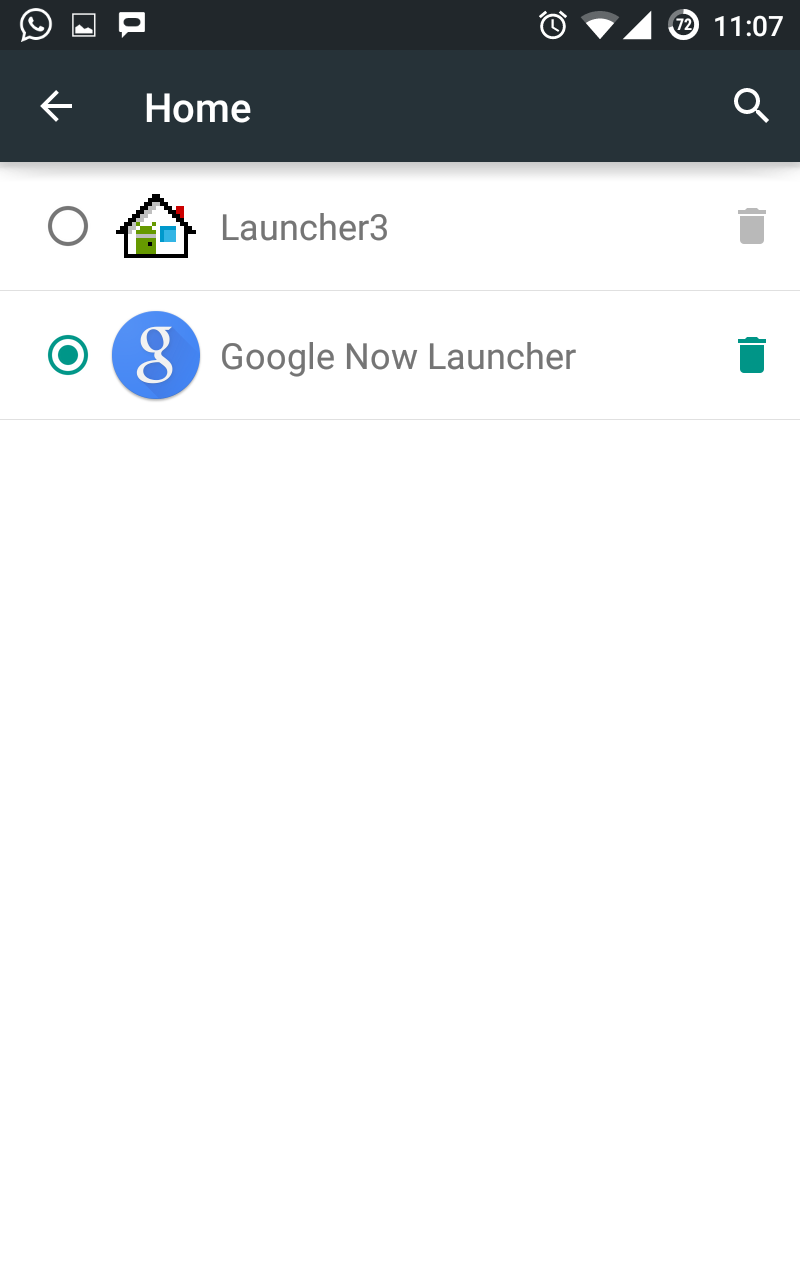
     Open settings->Home-->Select Google Now Launcher


3. In home screen go to the leftmost screen. Yes, this screen will be exclusively used by Google Now.

4. Open settings in Google Now by clicking on menu button in Google search bar


5. Click on customize--> sports


6. Add your favorite teams. Example: If you want to add India then search for "India Cricket Team". Likewise add all other teams.  I have added all 8 major teams


7. Go back to Google Now screen and refresh it by pulling down. 
And this is what you will see on your Google Now cards


Continue Reading

Monday, January 19, 2015

100 "FREE" Avast Mobile Security & Antivirus premium license worth $14.99 each. Grab it now!!!

Here we are yet again to give away 100 Avast premium license for free. Avast released it's new version with great new features for Android. As part of the celebration Avast along with AndroidAndFreak is giving away 100 free licenses for Android users. Avast is redesigned and it's faster than ever (50% faster!). Avast provides improved support for Intel-based devices. Also an awesome new referral program that rewards you for spreading the word about Avast Mobile Security!

MOBILE SECURITY | ANTIVIRUS FOR ANDROID


  • Antivirus Engine: Virus scanner automatically scans installed apps, memory card content and new apps upon first use. Schedule automatic scans for when you sleep. Includes SMS/file scanning for complete mobile protection, and also protect against avg spyware and removes viruses.
  • Privacy Report & Apps Manager: Provides insights about installed apps and helps you understand your apps’ access rights, intentions, and permissions.
  • SMS and Call Filter: Allows you to retain your privacy. Block numbers from those you don’t want to be able to contact you.
  • Web Shield: Blocks malware infected links, as well as trojans, adware and spyware (for safe web browsing) and even USSD numbers (which have the ability to wipe your device's memory). Also fixes mistyped URLs.
  • Network Meter: Measures incoming/outgoing data transfers.
  • Firewall (rooted devices only): Blocks hackers from getting in.
  • App Locking: Locks any two apps with a PIN/gesture (unlimited in Premium).
  • Backup: Allows backup of contacts, SMS/call logs, and photos (Premium version provides backup of music, video, and apps).
FIND MY PHONE | ANTI-THEFT FOR ANDROID


The best free cell phone tracker on the market. If you’re thinking “How can I find my Android?” you can use the cell phone locator features to find it, control it remotely, and much more.
  • Control your Android remotely via a web-based interface or SMS (to later control your device remotely, go to: http://my.avast.com).
  • Locate your phone on a map using GPS tracker.
  • Lock device, activate siren, or wipe memory to keep your private data safe.
  • Get notification of a SIM card change.
NEW! PREMIUM FEATURES | PAID-FOR OPTIONS

★ App Locking: Locks an unlimited number of apps.
★ Ad Detector: Detects ads and provides full details of their tracking systems.
★ Password Check: Automatically locks after 3 failed attempts to unlock.
★ Geo-Fencing: Phone performs specified actions (e.g. lock, activate siren, send location) when outside the set perimeter (e.g. you go to a cafe and enable it with a 500m perimeter, so if somebody steals your phone and takes it away, it triggers your specified actions).
★ Remote SMS: Remotely send text messages from the phone.
★ Remote Data Recovery: Remotely retrieve data from the phone.
★ Remote Identification: Take picture of the thief when he/she tries to unlock it (using front or back camera, with face recognition). Record audio, with voice recognition.
★ Backup Features: Allows backup of video, audio, and apps (including settings and data for rooted phones, e.g. game progress).
★ Premium pricing (auto-renewal): $1.99 monthly, or $14.99 yearly.

How To Get Avast Premium License For Free

1 Download Avast from Google playstore : link
2 Open Avast in mobile and apply following code: AVHV29AFR5

"Avast can keep your mobile safer than you can even imagine"

Please let us know if you face any issues while applying the license code.
Continue Reading

Monday, November 17, 2014

How to transfer messages and contacts from Android to computer with Vibosoft Android Mobile Manager


Although iPhone keeps updating to draw more attention of mobile users, there still remain considerable Android phone followers. There is no doubt that we need use our cell phones to send/receive messages and make telephone calls all the time. For many Android users, they maybe save tons of messages and large numbers of contacts because of special needs. However, during the use, some operations (such as failed to upgrade system) may make the phone's internal data be cleared. If the contacts and messages are lost, it might cause unpredictable huge losses. To keep such annoying thing from occurring, it is recommended to regularly backup our contacts and text messages. As for how to transfer important data like contacts and SMS to computer for backup, you can refer to the following method.

Some people have ever attempt to transfer the messages or contacts to computer by themselves but unfortunately they failed. In fact, the phone data cannot be moved to computer directly by just connecting device and pc. We need rely on professional transfer tool for Android devices to complete this data transmission. As we know that contacts and messages are stored in the internal memory. Vibosoft Android Mobile Manager is such a tool that it can neglect the limitations to help backup your SMS and contacts at the first time. This third-party program has strong compatibility, powerful functions and fast operation speed. Vibosoft studio has launched Windows and Mac versions for different users. So users can transfer their data from their Android phones to Windows pc and Mac as well.

Highlights of Vibosoft Android Mobile Manager:
  • Transfer messages to pc and freely edit and send text messages from computer directly.
  • Export and manage your contact information.
  • Install and uninstall applications
  • Backup your precious photos, music or movies.
  • High compatibility: support all Android branches like Samsung, HTC, LG, Sony, Motorola, etc.
To achieve perfect transfer process, here are some preparations you need to do:

Download the trial version and finish the installation and then run the program on your pc. Make sure your Android phone has connected to pc successfully and enable the USB debugging. When your phone gets detected, it will install the USB driver automatically. As follows:


Next this program will analyze your device content. You can get a structure of your data details in a while. Select the messages or contacts that you need to export and click “Backup” button to export.


Now you can view, edit the SMS and contact on your computer. If you are still confused, learn more about the steps to how to transfer Android contact to computer and the guide on how to backup messages from Android to computer.

With this kindly Vibosoft Android Mobile Manager in hand, there is no need to worry about the contact and SMS loss from your Android devices. By transferring them to your computer to release more space, you can keep as many contacts and messages as you like. 
Continue Reading

Thursday, November 6, 2014

Is "Angry Birds" struggling to survive in the market?

As we all know Angry Birds team is trying so hard to keep their name alive in the market. But are they able to do it? Download numbers are in fact high for all versions of their game. But the question is , how many users play it and how many users have it installed on their phone? Frankly speaking I don't have it and I don't see anyone around me saying "I still play angry birds". If I am not wrong, the gameplay and the plot of the game is definitely outdated. Just changing the color of the bird and music will not get user's attention. Mobile gamers need something new, and it applies to kids also, who once loved angry birds.  This game is definitely on it's death bed, just that the team who is developing it have not realized it yet. Earlier they realize the better it is. Probably we will see some more versions with new birds in it and one fine day it will die.

Angry Birds Stella

I tried a fairly new version of angry birds called "Angry Birds Stella". I should rather say, I tried "female" version of angry birds. I didn't' find anything new there. Just that the birds have some girly colors and names. And they do scream like girls :) . Now, why would some one play the same old game just to hear those female birds screaming?.  Here is the list of games by Rovio Mobile Ltd. Except couple of them, all are same old angry birds game with different names. They did try by releasing couple of games with different game play and plot but for some reason it couldn't get user's attention. Not many know about these games. Lately I have heard people talking about Candy Crush, Flappy bird and other great games but none spoke about Angry birds. And it was never in the news. Some websites did talk about it when new versions of Angry birds were released but nothing after that.
I wanted to try "Angry Birds Go" and waited for it's release, just to know it's supported only on newest available version of Android then. It did lose one user because of that OS restriction and I am sure there would have been many like me. Coming up with new game and making it restricted to some version of OS is definitely a foolish decision. They used pigs instead of birds by releasing a game called as "Bad Piggies" but that didn't help them either. I agree to the point people were crazy about angry birds once. But they are not interested anymore. Check out the below video where people played live angry birds. Which explains their craziness. But those are bygone days and it is not going to happen again.


How can they survive in the market ?
  1. Android and it's users have come long long way from those angry birds days. Rovio should accept the fact that angry birds are no more of user's interest. They are looking for something new. Instead of coming up with same old game with new names, invest the effort somewhere else.
  2. Rovio should come up with new games. They can definitely make use of the fame that they have gained all these years by telling "from the makers of angry birds", but game itself shouldn't be called as angry birds. Some sort of re-branding is required.
  3. It's an era where users get addicted to cross platform games. They would like to continue the game on Facebook or other devices. New game should work on all platforms.
  4. Size of the game matters a lot. Game should be within 50MB, users decrease as size increase.
  5. Game should be compatible with all versions of Android.
Continue Reading

Wednesday, August 20, 2014

How to Recover Deleted Text Messages and Contacts from Android

Nowadays, information is very important for us to live a daily life. Mostly, information is stored as data in our hard disk, phones, and other memory unit. Especially, with more widely use of once you accidentally deleted the contacts list or lost some important phone number from Samsung Galaxy without knowing why? Don't worry, today we teach you a easy way to restore contacts on Samsung Galaxy no matter lost or deleted.

To get lost contacts back from Samsung mobile phone, you need to use a professional Android Data Recovery, because the Samsung Galaxy phone running Android OS. Before you overwriting your device, there's a very good chance that your deleted data is still alive somewhere. You just need to know how to scan and recoverlost contacts on AndroidGalaxy. With a contacts recovery tools, restoring the deleted contacts will be quite easy just with a few clicks of your mouse. Let’s show you the tutorial to get lost contacts back on Samsung Galaxy: My friends complain that they delete text message or something important data by mistake sometimes which really causes damage to their daily work and life.


Once you accidentally deleted the contacts list or lost some important phone number from Samsung Galaxy without knowing why? Don't worry, today we teach you a easy way to restore contacts on Samsung Galaxy no matter lost or deleted. To get lost contacts back from Samsung mobile phone, you need to use a professional Android Data Recovery, because the Samsung Galaxy phone running Android OS. Before you overwriting your device, there's a very good chance that your deleted data is still alive somewhere. You just need to know how to scan and recover lost contacts on Samsung Galaxy. With a contacts recovery tools, restoring the deleted contacts will be quite easy just with a few clicks of your mouse. Let’s show you the tutorial to get lost contacts back on Samsung Galaxy:


Can we recovery these text message or other important data which have been deleted by mistake? Before we answer the question, we should know that how it works in storage system. In computer, we usually have our data stored as files and we can find any specific file as long as we get the name of the file. Data storage works in similar way. We generally think that it disappears when we delete some data. In fact, data exists even we delete it but loses its name that system gave. So, the problem is actually to find those data which is left over without name.

How can we normal people without this data recovery expertise solve the problem? We ask professional for help. Coolmuster AndroidSMS Recovery is a software that designed by expert who is full of experience which is specialized in data recovery territory. It is a very powerful software that take advantages as follows. Firstly, it will save your time by recovering data only in a few minutes. Secondly, it can be afforded by normal people. Thirdly, it is very convenient for us to buy or directly download from the website of manufacturing company. Besides, your software will be technical supported for whole life once you buy it.

With such a powerful friend like Coolmuster Android Data Recovery, you can say goodbye to data lost issues.

Link to Coolmuster is here
Continue Reading

Sunday, July 13, 2014

How to generate Memes using an Android application

Memeful is a memes generating applications. This 2.6MB application has lots of memes templates which can be used to generate memes. For people who don't know what memes are then here is the definition "an image, video, piece of text, etc., typically humorous in nature, that is copied and spread rapidly by Internet users, often with slight variations."   Lately you might seeing lots of pictures with humorous text in it on Facebook and Whatsapp. With this application you can generate your own memes and share it with friends. Select you template and some humorous text to it, that's it, your meme is ready. There are lots of pictures present in this app which can be used.You can also add pictures from your gallery and generate memes using it. 


Continue Reading

Saturday, May 31, 2014

Buy and Sell your Android app at ChupaMobile

ChupaMobile is a great platform to buy and sell your Android applications. If you ever wanted to develop an Android application with small budget and didn't find time then you will have to visit ChupaMobile. There are lots of developers out there who would like to sell their source code. You can buy them and use those in your app. You can just buy the libraries or you can buy the entire app which are put up for sale in ChupaMobile. Why only buy? do you want to sell your source code or application and make some money? Yes, then again ChupMobile is the place for you. There are lots and lots of applications available in this website. iOS apps are also sold and bought in this website. You can register to ChupaMobiles using Facebook, GitHub or Email account. Fill up your details such as development experience, if freelancer, area of expertise etc. Write about yourself and provide links to social profiles like Twitter, Facebook, Linkedin, GitHub and StackOverflow. Once done, you are all set to buy and sell. Stuff you can buy from ChupaMobiles are full app, app template, full game, menus/navigation, framework, libraries, UI utilities etc. When I say stuff you can buy it also implies stuff you can sell. Apps/code can be bought with single app license or multi app license. All money transactions are done using PayPal in ChupaMobile. Pricing of apps seems to be on higher side, however you can make sure that you are buying the right app by looking at video demo, documentation and description of the same. They have 14 days money back policy as well. If in case purchased app doesn't work the way it's supposed to work then you can get back the money using 14 days policy. Overall it's a great platform and marketplace for all mobile application developers.


Continue Reading

Tuesday, May 13, 2014

All Android developers check out this "Android button" code genrator

Now you don't have to sit and code for hours to generate buttons for Android applications. Angry tools is a beautiful websites which provides an interface to generate Android buttons. Very simple to use website and it doesn't need any guidance or instructions to generate the code.On the right hand side of the website you will see different attributes of the button and on left side you will see the button. Initially, all attributes will be filled with default values. If  you would like to modify the color, style, size etc etc of the button then just modify those attributes values to get the desired button. Once the code is generated , copy the code and integrate it in your application. And the best part is, it's completely free. Kudos to the developers for developing such an amazing and useful application.

Click here  to access the Angry tools button generator.


Continue Reading

Saturday, April 19, 2014

Tip 4: How to install Amazon Appstore for Android on Android mobiles

As we all know Amazon has come up with a new appstore exclusively for Android mobiles. Unfortunately this appstore is not available in Google's playstore. We have to follow a different way to install the same to our Android device. Below is how we  can do it

  1. Open this link in browser. Open it in computer or in Android device.
  2. Click "Download The Amazon Appstore" button. This will download the .apk file.
  3. In you Android device, open settings-> security and enable "unknown sources- allow installation of apps from other sources" option.
  4. If .apk file is downloaded to your computer then transfer it to mobile through USB cable, Bluetooth or in which ever way convenient to you.
  5. Open file explorer, search "AmazonApps-release.apk" and click on it. This will install the Amazon appstore for Android on your device.


Amazon appstore's interface is really good. Like playstore , Amazon has also categorized apps under different sections. You might stumble upon some interesting apps which you may not have seen in playstore. Amazon appstore will have a different set of recommendations for you, so that you check some new and interesting apps which may not have surfaced in Google playstore's recommendation. They also have daily deals like free app of the day, where you can download some paid apps for free.

Enjoy and please let me know your experience with Amazon Appstore for Android.
Continue Reading

Wednesday, April 16, 2014

Tip 3 : How to save battery while travelling

Using mobile is the most commonly used method to kill time while travelling. We all do it while travelling but when mobile is most needed it will have no charge, because we would have used it and drained the charge completely out of it or we would have forgotten to charge our mobile before travelling. There are couple of things which actually drain out the battery. Those are mobile internet and mobile network. Avoid using internet while travelling this will save lots of battery. I would suggest you to turn off  the mobile data while travelling. By doing so, you will definitely notice the difference in usage of  battery. While travelling mobile network will not be available throughout the journey. When there is no network available, our mobile device will constantly search for network. This process will eat lots of battery. One way to stop our device from searching for network is by putting it in Airplane mode. But in this mode you will not be able to receive calls or  messages because your mobile network will be turned off.  Very very less amount of battery will be consumed by mobile when it is in Airplane mode. Try Airplane mode while travelling and let me know the difference.


PS: Music player uses very less battery. With Airplane mode, you can listen to music continuously during your journey by not draining out the battery.
Continue Reading

Sunday, April 6, 2014

Must know PlayStore settings for Android newbie user!!!

Most of them just open play store, browse some apps and download it. But they are always worried about things like auto update of app or list of apps shown in play store is not appropriate to the user (ex - adult content apps) and so on. If you are still worried then its time for you to look at playstore settings. You can turn off/on few things like these through settings menu. It's a very basic settings menu but useful though.

Open playstore and click on that 3 horizontal line at top left


Side bar will displayed which will have settings option in that. Settings menu will look like below


In this menu you can enable/disable things like app update notification, auto update of apps, adding icons to home screen while installing new apps, content filtering, password for purchase and you can also delete your search history.

If my playstore screen shots are looking different from yours then probably you are using a different version of it. But not to worry every version of playstore will have settings menu in it an you just have to find it.
Continue Reading

Wednesday, April 2, 2014

Just few clicks to create Android application - zero coding knowledge required!!!

Andromo lets you convert your idea into an Android application. Creating an Android app can't be simpler than this if you know to use your mouse :) .
Andromo is a highly responsive website where you will have to fill in the details about your application and Andromo creates the app for you.

Create a new project in website and provide details such as package name, app version, logo, target market (google play). Create an activity to your app. Choose a theme and enable monetization as well. Montetization is done by integrating your Admod, Amazon, Mellenial Media or Mobpartner account to this app. Create a free account with those ad publishers if you don't have one. Google analytics can also be integrated to check the performance of your application.
Once done click on build app option. This will take about 15-20 mins and you will receive an email when its ready. APK can be downloaded to your computer/mobile using download option in the mail. That's it your Android app is ready.

This is definitely a helpful website to those folks who wants to create an android application but has zero coding knowledge!!!


Creating an app using Andromo takes lesser time than preparing a coffee!!! Isn't it ???

Check out Andromo tutorial here
Check out the pricing here 

Thanks.
Continue Reading

Monday, March 10, 2014

Nexus 5 (16GB) International giveaway by Android Authority - 2 Simple steps to participate

Android Authority, famous Android website is giving away  Nexus 5 16GB coming Sunday. To participate simply access this link and follow the instruction provided in the page. To participate you just have to subscribe to Android Authority news letter and share the give away link with your friends. You will get one bonus point for every entry you refer (10 max points) . This is an international give way and product will be shipped to you (if shipping is allowed to your country). If shipping is not allowed to your country then an equivalent online gift card will be given. Why waiting ? Go enroll yourself and win a Nexus 5.


Continue Reading

Friday, February 21, 2014

Generate your own flappy bird game in three steps

It's flappy flappy everywhere. After compiling a list of 10 flappy games I found this link where you can create your own flappy bird game in just 3 steps.

1)Open this link.
2)Choose image to replace the bird and the pipes.
3)Pick a name for your game and click on generate.

This is an online game and there is no option to download it. Developer of this website is claiming that this website is receiving 400,000 page views per day and it has received 4,000,000 page views so far. Looking at this website's growth, I feel whatever developer claiming is true. He is also claiming that he is running of out resource to maintain this site and requesting users to donate.

Couple of options which would have made the site better
  • Option to download the game (.apk or .swf format)
  • Advanced options to crop images


Checkout my flappy game here  and create your own flappy bird.


Continue Reading

Monday, February 17, 2014

Few good Android blogs that you should know!!!

Here is the list of good Android blogs that I have been following from couple of years. I just thought of sharing these list with everyone. I am not writing much descriptions about these blogs instead I will rate it out of  5.

Here we go!!!

         
       Android Authority
         A&F rating             4.6
         Age                        5 years 10 months
         Alexa Rank             6,687
         Facebook page       https://www.facebook.com/androidauthority
         Twitter                    https://twitter.com/AndroidAuth

         Android And Me
         A&F rating             4.2
         Age                        5 years
         Alexa Rank            12,667
         Facebook page       https://www.facebook.com/androidandme
         Twitter                    https://twitter.com/androidandme

         Phandroid
         A&F rating             4.4
         Age                        6 years 3 months
         Alexa Rank             8,109
         Facebook page       https://www.facebook.com/phandroid
         Twitter                    https://twitter.com/phandroid

         Android Pit
         A&F rating             4.2
         Age                        4 years 9 months
         Alexa Rank             8,550
         Facebook page       https://www.facebook.com/androidpitcom
         Twitter                    https://twitter.com/AndroidPITcom

         App Storm
         A&F rating             4.0
         Age                        3 years 2 months
         Alexa Rank             5,909
         Facebook page       https://www.facebook.com/AndroidAppstorm
         Twitter                    https://twitter.com/droidappstorm

         Android Guys
         A&F rating             3.8
         Age                        5 years 10 months
         Alexa Rank             39,875
         Facebook page       https://www.facebook.com/AndroidGuys
         Twitter                    https://twitter.com/AndroidGuys

         AndroidTapp
         A&F rating             3.7
         Age                        5 years 2 months
         Alexa Rank             40,899
         Facebook page       https://www.facebook.com/androidtapp
         Twitter                    https://twitter.com/androidtapp


Note: Alexa rank and age is as on 17th Feb 2014.
Continue Reading

Tuesday, February 11, 2014

Recover lost data from Android Smart phones in a jiffy with Wondershare Dr. Fone

Have you lost some most important contents, cherished photographs or audio files from your Android smart phone and feeling distraught? Do not fret anymore! Wondershare Dr. Fone enables you with an easy to use application for recovering all the lost data in a jiffy. Simple scan, preview and recover options made available with just a couple of clicks through the instructional application makes life easier for everyone.

Most of us at some point or the other of our usage of Android smart phones would have experienced data loss situations either through accidental deletion of messages or contacts or due to some unforeseen errors. A week before, I had accidentally deleted all the pictures of my friend's marriage captured through the Sony Xperia C. I was terribly upset with myself having deleted most cherished photos for which I had created no backup. This is when I found the most efficient Wondershare Dr. Fone for Android software. The easy to use instructional application enables you to recover all the lost data in the form of messages, contacts, photos, audio, video files or documents from the Android phone. With simple clicks to scan, preview and recover, one can get back all the lost data in a jiffy. The software provides amazing compatibility with operating systems (Windows 8.1(64bits)/8 (64&32 bits)/7 (64&32 bits)/Vista (64&32 bits)/XP (32 bit)). The software can be used on all Android devices such as Samsung, Sony, Motorola, Google, LG, HTC and much more.


The details provided below will help you understand how Wondershare Dr. Fone makes life easier through effective data recovery process.

Features that make Wondershare Dr. Fone an amazing Android data recovery tool

  •  Straight and easy steps to recover all the lost data in the form of messages, contacts, photos etc
  • Recovery of data on account of accidental deletion
  • 3 straight steps to recover lost data namely scan, preview and recover.
  • Users can preview all the lost data and can recover the same on a selective basis.
  • Recovery for android devices is 100% safe and one can use the same without any technical skills


Quality and Speed 

Wondershare Dr. Fone provides amazing quality of recovery without leaking any personal information. The application provides you with a safe, secured and easy to use interface for getting back all the lost data with great ease and comfort.

Though the application recommends having the Android Phone charged to an extent of 20% before connecting to run the application, I had recovered the lost photos from my Android phone with just a battery charge of 12%. The speed with which the application scans, previews and recovers the lost data is appreciable.


3 easy steps to data recovery

Wondershare Dr. Fone provides a simple and easy to follow solution to data recovery on Android Smartphone with just simple clicks. All you would have to do is to connect the android phone on any of your computer USB ports, and then start the three step process to have all the lost data recovered in a jiffy.

Step 1:  Launch the application, connect the android phone to the PC using a USB cable, based on the android version, one can choose the specified actions. I had used this application on my Sony Xperia C Smartphone. I had selected the Android 4.2 or never. You would have to click on settings and then on about phone and then tap on builder number for 7 times to get a pop up stating you are under developer mode. You would then have to click on developer options and then USB debugging to start the scanning process.


Step2: once this is done, you can start analyzing the data on your device. The application scans and provides you with a list of all documents, images, video and all such files for effective preview. The existing and deleted data are listed in two different colours for easy identification (deleted files in red colour). You would be able to choose the files that are needed to be recovered before moving on to the next step.

Step 3: After assessing the files to be recovered, you can effectively mark the files to be recovered and click on Recover to save the same on to your computer. The recovered files can be saved in CSV, vCard or HTML format based on the file type. The advantage of using Wondershare Dr. Fone software for recovery of lost data from Android Smartphone is that it allows you with the flexibility to precisely choose the items for recovery on a selective basis before taking up the recovery process thereby saving a lot of time. It also provides the user with amazing compatibility to all Android OS versions. You can also use this application on all rooted Samsung devices.


How to get the amazing application

You can download the application directly from the product page. Wondershare Dr. Fone is available for download in both trail version and paid version. For assessing the features, one can download the trail version or download the paid version at a onetime cost of $49.95.

Continue Reading

Tuesday, October 15, 2013

Different Android versions and its notable features

Google acquired Android in 2005. Initially there were few versions of Android with no names. But after that every commercial Android version was named in alphabetical order. Naming started from letter "C" and now it has reached letter "K" . Few versions in between have also carry forwarded the same names by suffixing it with different version numbers. And all code names are named after desserts and Google has not unveiled any specific reason for the same, maybe there is no reason behind it.


Cupcake 1.5 - A small cake baked in cup shape which is designed to serve one person. This is the first commercial version of Android. Cupcake was released in 30th April 2009. Back then Nokia was ruling the market with its Symbian OS and only few devices were with Android OS.

 Notable features
  • Support for third party virtual keyboard and text prediction.
  • Widgets support.
  • Auto rotation option.
  • Animated screen transition.
  • Ability to upload to Youtube and Picasa.
 Notable devices
  •  HTC hero
  • Samsung Moment
  • Motorola backflip
  • LG eve
Donut 1.6 - A ring shaped fried cake with a hole in between. This became the second version of Android, which was released in September 2009. This release fixed all major error that was present in initial version and started  becoming more stable and a reliable mobile OS.

Notable features
  • Performance improvement of Camera application.
  • WVGA screen resolution support.
  • Voice and text entry search.
  • New text to speak Engine.
Notable devices
  • Samsung Galaxy
  • Sony Ericsson Xperia X10 
  • LG optimus

Eclair 2.0 , 2.0.1 and 2.1 - Pastry made with choux dough filled with cream. This name was carry forwarded to 3 consecutive versions of Android.  2.0 was released in October 2009 and version 2.0.1 with bug fixes was released in December 2009.  eclair 2.1 was released in January 2010.

Notable Features
  • Ability to sync and add multiple email accounts.
  •  Bluetooth 2.1 Support.
  • Support for multi touch events.
  • Live wallpaper support.
  • Google Maps Navigator.
Notable Devices
  • Motorola Droid.
  • Samsung Galaxy 3/Apollo.
  • HTC Desire.
  • Samsung Galaxy S

Froyo 2.2 through 2.2.3 - Short name of frozen Yogurt, a desert made up of yogurt and other dairy products. Froyo was released in May 2010. One major version and three minor versions were released with same name.

Notable Features
  • USB tethering and WiFi hotspot.
  • Option to disable data network.
  • Adobe Flash support.
  • Market application with automatic update feature.
Notable devices
  • Nexus One
  • HTC EVO

GingerBread 2.3 to 2.3.7 - Cake flavored with ginger. Again one major and many minor versions were released with same code name.  Major version of Ginger Bread was released in December 2010.

Notable Features
  • Enhanced user interface.
  • Improved  copy/paste functionality.
  • Support for extra large screen.
  • Support for gyroscope and barometer.
Notable Devices
  • Samsung galaxy S II
  • Nexus S
  • HTC Sensation
  • Motorola Droid Razr

Honey Comb 3.0, 3.1 and 3.2 - Wax cell made by honey bees to store honey and eggs. 3.0 was released in February 2011. 3.1 released in May 2011 and 3.2 released in July 2011 and many minor versions were released for 3.2. Android honeycomb version was only for Tablets.

Notable Features
  • New system bar was added
  • Video chat support for G-talk
  • Support to resize home screen widgets
  • Ability for application to access files on SD card.
Notable devices
  • Motorola Xoom
  • Samsung Galaxy tab

Ice Cream Sandwich 4.0 through 4.0.4 - Layer of ice cream sandwiched between cookies. 4.0 was released in October 2011. And final minor version of ICS was released in March 2012

Notable features
  • Customization of launcher
  • Access apps directly from lock screen
  • Face unlock
  • Data usage warning settings
  • 1080p video recording

Notable devices
  • Galaxy Nexus
  • HTC One
  • Samsung Galaxy Note 10.1 

Jelly Bean 4.1, 4.2 and 4.3 - Bean shaped candy with sugar coating on it. 4.1 released in July 2012. 4.2 released in November 2012 and 4.3 released in July 2013.  Main aim of this release was to improve the user interface and Google named this project as "Project Butter".

Notable features
  • Smoother and faster UI
  • Google Wallet
  • Google Now
  • Enhanced lock screen
Notable devices
  • Samsung galaxy SIII
  • Samsung Galaxy S IV
  • Samsung Note II
  • Nexus 4

Kit Kat 4.4 - Famous chocolate by Nestle. It was rumored for a year or so that Android's "K" version will be Key Lime Pie but Google surprisingly named it as Kit Kat. This version is yet to be released by Google.

Notable device
  • Nexus 5

Source -Wikipedia and Androidguys
Continue Reading

Thursday, October 10, 2013

goesAPP - Create Android application in just 2 minutes

goesAPP -  Lets you create Android application for your website, blog , Facebook page etc in just through few clicks. Best part of goesAPP is, you don't have to know anything about Android development to create an application. Just login to this website and follow few mentioned steps and your app will be created within 2 minutes. You can login to goesAPP using Facebook, Google or any other email id.

Steps to follow


  1. Once logged in,  provide the URL of the page for which you want to create an app.
  2. Provide app name, description of your app, select language and choose a logo. You can upload your own logo or use the default icons.
  3. Add value to your users. This option is just superb, which you may not see in any of the app creating websites. You can add few buttons like "follow us", "gallery", "shopping", "contact" etc  to your app. This really adds lots of value to your application.
  4. Click on generate app. Wait for 60 seconds and BOOM!!! your Android app is ready.


One more awesome feature provided by goesAPP is, you can can send push notifications to those users who are using your application.I tried it myself and it worked for me. But this is a limited feature and you are allowed to send only 5 notification per month. Scan the QR code displayed on the website to download the app you created. I somehow felt that it would have been more easier if  I could download the app directly to my computer without a QR scan.

Also I was thinking what is the catch here? why would someone help us to create an application without any returns but then I went through "how its works" page in goesAPP website and I learnt that there is no catch at all. However they might provide some paid advanced features in future.

I created an application myself  using goesAPP and I must say it was easy as pie. I created application for this website itself  and I am thinking of uploading it into playstore in a month or so. Thanks to goesAPP.

Few things that I felt is missing


  • No option to delete the created app in the website.
  • There should have been a way to validate the URL to see if its owned by user.
  • An option to download the apk file to computer.
Below are the screenshots of the app that I created using goesAPP


Continue Reading

Thursday, September 19, 2013

AndroidAndFreak joins the campaign for naming next version as "LADOO"

As we all know Google  ruled out the name "Key Lime Pie" and zeroed in "Kit Kat" for next version of Android. But this surprising  move of Google has disappointed good set of people from India. These folks wanted Google to name its K version as "Kaju Katli" and they had even sent few boxes of Kaju Katli  to Google. Well now K version is all done and they are back again with a new campaign on Youtube. Campaign is initiated by a start up company Price Baba and purpose of the campaign is to name next Android version as "Ladoo". They claim to send  few sample boxes of  Ladoo to Google.


AndroidAndFreak joins this fun #AndroidLadoo campaign and here it is to spread the word Ladoo to the world. If  Google considers this has a serious campaign and takes forward the request then it is definitely going to shoot up the number of Android users in India and whole world will know about our Indian sweet Ladoo and if it doesn't, what's life without little fun isn't it?


Share the word #AndroidLadoo.
Continue Reading

Friday, August 9, 2013

Locate your phone on G-maps with Google Android device Manager.

Google's new project Android device manager  is live now. This doesn't need any explanation about its usage or functionality. Just login to android device manager with the same Google id which you have used to configure your android phone and it will automatically locate your phone on Google maps. You can give a ring to your phone directly from this website by clicking ring option. There is an option to erase the device memory as well, which would be very helpful if  in case your phone gets stolen. Android device manager is simple to use website with very useful feature.


 Login to Android device manager here -> https://www.google.com/android/devicemanager
Continue Reading